How to install Smarters Pro on Firestick 2026
1st Step: watch this video, it will show you how to allow downloading apps from Unknown Sources on the Downloader app.
2nd Step:
Download IPTV Smarters Pro, Go to Fire TV’s Downloader, and Put this Code: 4839527
You Can Also Download the SKY Glass V2 App : 8999206
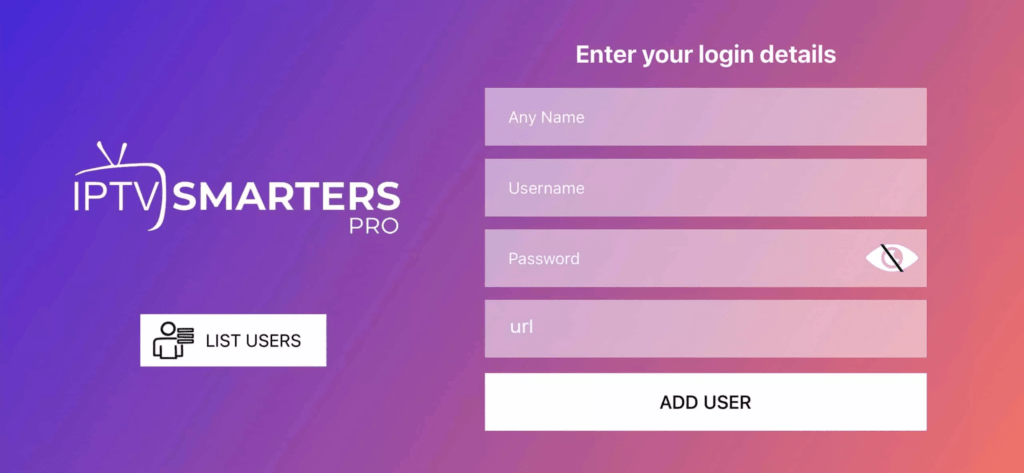
Step 3: Enter the login details that we have provided you after you get a subscription with us
Now, click on “ADD USER” to proceed to the next section.
Step 4: Wait for some seconds.
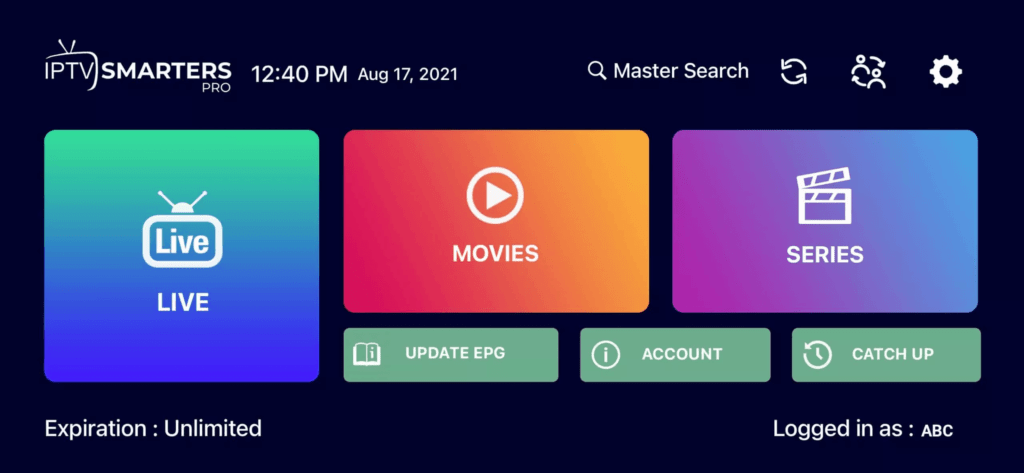
Step 5: Now, click the “Live TV” icon, as depicted in the image with a red arrow.
Step 6: Now select the channel group you want to watch, then proceed to the next section.
Step 7: Now, click the channel name, then double-click the small screen to turn it to full screen.
Done
How to set up IPTV on Apple / IOS With IPTV Smarters Player
Step 1: Start by downloading the IPTV Smarters app from the App Store through this URL :
https://apps.apple.com/in/app/smarters-player-lite/id1628995509
Or you can search for it on the App Store,
Install the app on your IOS device.
Step 2: After downloading, open the app and enter your login details.
Step 3: Enter the login details that we have provided you after you get a subscription with us
Now, click on “ADD USER” to proceed to the next section.
Step 4: Wait for some seconds.
Step 5: Now, click the “Live TV” icon, as depicted in the image by the red arrow.
Step 6: Now select the channel group you want to watch, then proceed to the next section.
Step 7: Now, click the channel name, then double-click the small screen to turn it to full screen.
Step 8: To add EPG, there is no need to add any EPG URL. Just click on “Install EPG”.
Done